
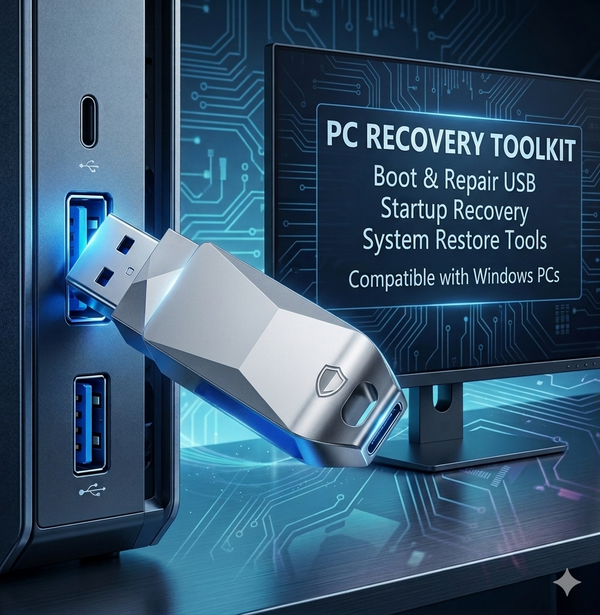


🔧 Bootable Windows Recovery & Repair USB for Startup Issues (Win 11/10/8.1/7)
$34.99$39.99
SAVE
Free shipping to 🇺🇸 USA & 🇨🇦 Canada.In stock — ships today.
System Type: Standard Recovery (PE System)
USB Size: 64G⭐ Recommended
Logo Customization: Standard
30-Day Returns
Full refund, no hassle
Free Shipping
US & Canada
Secure Payment
256-bit SSL encrypted
Expert Support
Reply within 24 hrs
📋 Product Details
⚠️ Common PC Startup Problems
- Blue screen (BSOD) or crash loop
- Black screen during startup
- PC will not boot properly
- Forgot local Windows password
- Problems after Windows update
- Missing files or damaged system files
This USB helps solve many common startup and recovery issues.
🚀 Why Choose This Recovery USB?
- Pre-configured and ready to use
- No complicated setup required
- Designed for beginners
- Useful even when Windows cannot start
- Saves time compared with manual troubleshooting
- Reusable for future recovery needs
🛠️ What Can It Help With?
- Startup repair and boot recovery tools
- Help resolve common boot errors
- Repair damaged Windows system files
- Reset local account passwords
- Back up files before reinstall
- Windows reinstall assistance when needed
- Access recovery tools without internet
🧑💻 How It Works
1
Insert the USB
Plug the USB into your computer.
2
Boot From USB
Use F12 / ESC / DEL / F8 depending on your device.
3
Choose Recovery Tool
Select repair, recovery or reinstall options.
Many recovery tasks can be completed quickly depending on the issue.
⭐ Customer Feedback
“Easy to use and helped me recover my laptop.” — Verified Buyer, Texas
“Saved me from paying a repair shop.” — Verified Buyer, Ontario
“Good tool to keep at home for emergencies.” — Verified Buyer, California
💰 Limited Time Offer
$34.99 $49.99 SAVE 40%
Limited stock available at this promotional price.
🔒 Risk-Free Purchase
- 30-Day Guarantee — Contact support if needed
- Secure Checkout — PayPal & major cards accepted
- Tracked Shipping — Free to US & Canada
❓ Frequently Asked Questions
Will it work on my computer?
Compatible with many HP, Dell, Lenovo, Acer, ASUS, MSI and other Windows PCs. Compatibility may vary by model.
Do I need technical skills?
No. Designed for everyday users with step-by-step menus.
Can I reinstall Windows?
Yes. Recovery and reinstall options are available when needed.
Can it reset passwords?
Supports local account password recovery tools for authorized use on your own device.
Is this an official Microsoft product?
No. TechRescueLab is an independent toolkit provider and is not affiliated with Microsoft. Windows is a trademark of Microsoft Corporation.
Will it fix every issue?
Results vary depending on hardware condition, BIOS settings, storage health and software damage.
🛒 Be Ready Before Problems Happen
Keep a recovery USB ready for startup issues, emergency access and system repair whenever needed.
⭐ Customer Reviews
What Our Customers Say
4.9
★★★★★
Based on 218 reviews
100% recommend